But booklet printing has a reputation problem: page count confusion. Many businesses submit files with the wrong number of pages, misordered spreads, or missing bleed, and end up facing delays or costly reprints.
This guide breaks down exactly how booklet pages work, the page count rules tied to each binding method, and the file setup steps that keep your project on schedule. We'll also cover how Minuteman Press Jacksonville helps local businesses get booklet printing right on the first try.
Key Takeaways
- Page count rules depend entirely on binding method, not personal preference
- Saddle stitch requires multiples of 4; perfect binding, spiral, and Wire-O require multiples of 2
- Submit single, sequential pages in one PDF — never pre-arranged spreads
- Get bleed, cover setup, and spine width right to prevent trimming errors
- A pre-press file review catches mistakes before they become expensive reprints
What Is a Booklet? Common Types & Business Uses
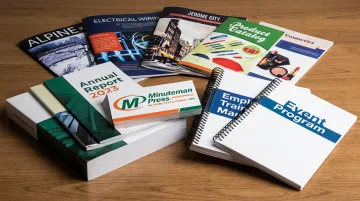
A booklet is a bound publication with a paper cover and a relatively small interior page count, distinct from a full book. Commercial print shops typically produce them using saddle stitch, perfect binding, coil, or Wire-O binding.
Businesses turn to booklets because they offer more page real estate than a brochure or flyer, at a fraction of the cost of a bound book. Common applications include:
- Marketing catalogs and lookbooks showcasing product lines
- Event programs for conferences, trade shows, or fundraisers
- Employee and training manuals covering onboarding or compliance
- Annual reports summarizing company performance
- Membership directories for clubs, schools, and nonprofit organizations
Minuteman Press in Jacksonville prints these formats for local businesses, schools, religious organizations, and nonprofits that need catalogs, directories, program guides, and event materials.
How Many Pages Can a Booklet Have? Page Count Rules by Binding Type
Page count isn't arbitrary. It's dictated by the physical mechanics of binding, and every page, including intentional blank ones, counts toward the total.
Saddle Stitch
Saddle-stitched booklets are made from folded sheets, and each folded sheet creates exactly four printed pages. That means page count must always be a multiple of 4.
Industry specs commonly cite an 8-page minimum and a typical maximum of 8 to 64 pages, depending on paper stock and stapling equipment. Thinner stock can sometimes push closer to 90 pages, but excessive thickness prevents clean stapling at the spine.
Perfect Binding
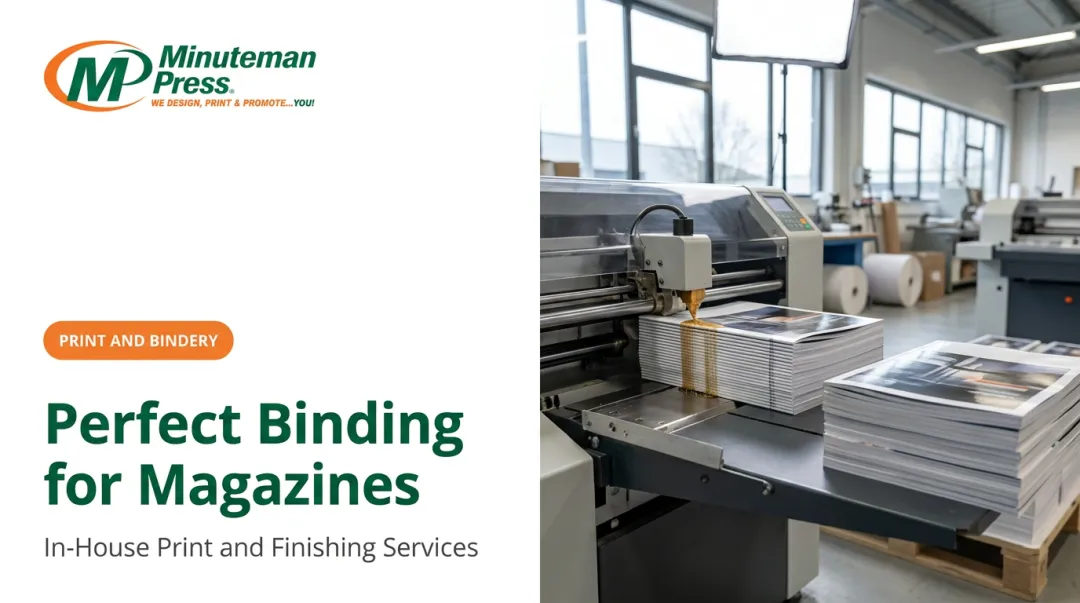
Perfect binding glues pages to a wraparound cover, forming a flat, square spine — the same construction used in paperback books. This method requires a multiple of 2 for page count.
Because the spine needs enough thickness for the glue to hold, perfect binding carries a higher minimum. PrintingCenterUSA cites a 28-page minimum with a 2-inch maximum thickness. The payoff is a professional spine that saddle stitch can't match.
Spiral & Wire-O Binding
Both spiral and Wire-O binding require multiples of 2 and allow booklets to lay completely flat when open, which makes them ideal for workbooks, manuals, and cookbooks. Neither option supports spine printing, since the binding mechanism itself occupies that space.
Typical minimums start around 8 pages, with maximum thickness limits generally landing between 1.25 and 2.75 inches depending on wire gauge and coil diameter.
Quick Reference
| Binding Type | Minimum Pages | Increment Rule |
|---|---|---|
| Saddle Stitch | 8 pages | Multiples of 4 |
| Perfect Binding | ~28 pages | Multiples of 2 |
| Spiral/Coil | 8 pages | Multiples of 2 |
| Wire-O | 8 pages | Multiples of 2 |
What happens if your count doesn't match? Most print shops will add blank pages automatically to satisfy the binding requirement. Minuteman Press Jacksonville offers saddle stitching, perfect binding, coil, wire, comb, three-ring, and case binding in-house. Their team can advise on the right page count before your file heads to press.
How Do Booklet Pages Work? Reader Spreads, Printer Spreads & Imposition Explained
This is where most page count confusion starts. There's a difference between how you read a booklet and how it physically prints.
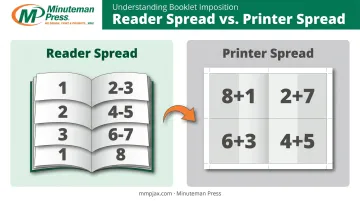
Reader spreads show consecutive pages in the order you'd flip through them: page 1, then 2/3, then 4/5, and so on. Printer spreads show how those same pages get arranged on a physical press sheet before folding and cutting.
For an 8-page booklet, printer spreads might pair page 8 with page 1, page 2 with page 7, and so forth, according to Smartpress. That non-sequential arrangement looks wrong until the sheet is folded, at which point everything lands in correct reading order.
Imposition Is the Printer's Job, Not Yours
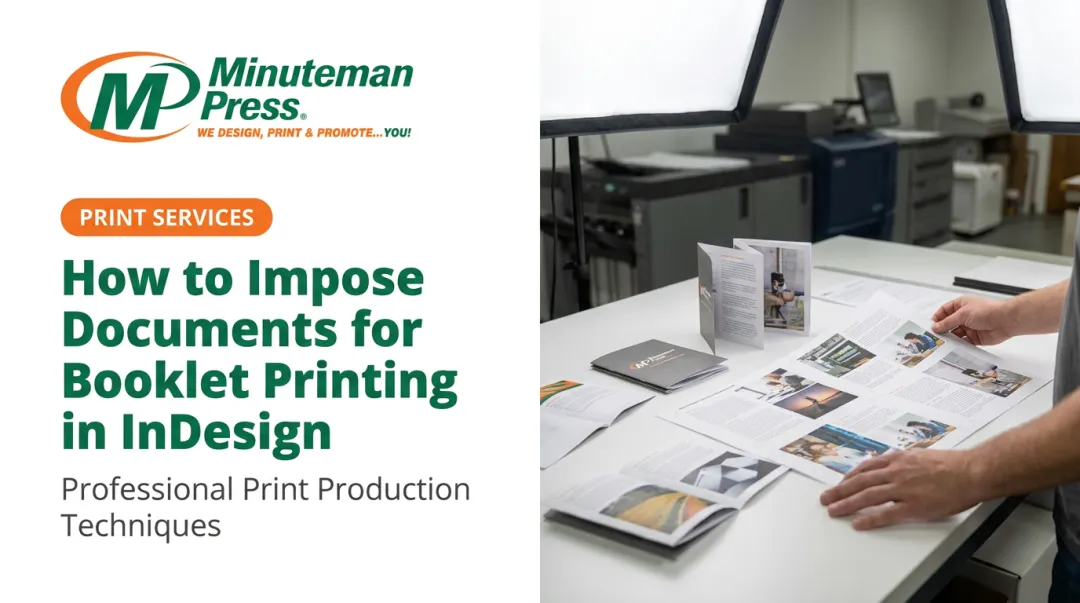
Imposition is the prepress process of arranging individual pages so that once sheets are printed, folded, and trimmed, pages fall into correct order. You should never manually arrange your file into printer spreads.
Instead, submit a single PDF with pages in sequential order:
- Front cover
- Inside front cover
- All interior pages, in order (including intentional blanks)
- Inside back cover
- Back cover
Page Numbering Convention
Once bound, standard booklets follow a simple rule: even-numbered pages appear on the left, odd-numbered pages appear on the right. Numbering typically starts from the first interior page, not necessarily page 1 of your PDF file — the cover often isn't numbered at all.
File Setup Essentials for Print-Ready Booklet Pages
A high-resolution, single-file PDF with sequential pages is the format most printers request. Skipping this step is one of the fastest ways to delay a job.
Bleed Requirements
Bleed is the extra artwork extending past the trim line, needed whenever a design element touches the page edge. The standard bleed allowance is 0.125 inches on each side.
Here's how that affects common trim sizes:
| Trim Size | Bleed-Inclusive Dimensions |
|---|---|
| 5.5" x 8.5" | 5.75" x 8.75" |
| 8.5" x 11" | 8.75" x 11.25" |
Cover Setup: Self-Cover vs. Separate Cover
Some booklets use the same stock for cover and interior (self-cover). Others use a heavier cover stock, submitted as a separate file.
For perfect binding, calculate spine width using this formula:
Spine width = (page count ÷ 2) × paper caliper
Page count is divided by two because each physical sheet holds two printed pages. Confirm the exact caliper with your printer's stock before you finalize cover artwork.
Software Export Tips
- Skip Word's built-in "book fold" layout; it often misorders pages on export
- In InDesign or Illustrator, turn off "spreads" and export single pages
- Keep blank pages in the file at the correct positions before you export
Minuteman Press in Jacksonville reviews files for bleed, imposition, and page count before printing, so common setup errors get caught early and jobs stay on schedule.
Choosing the Right Binding, Size & Paper for Your Booklet
Standard Booklet Sizes
Common sizes include 5.5" x 8.5" and 8.5" x 11". Minuteman Press Jacksonville also produces booklets up to 11" x 17" and smaller pocket-sized formats for custom projects.
Matching Binding to Use Case
- Saddle stitch — short marketing booklets, event programs, quick-turn catalogs
- Perfect binding — thicker catalogs or documents needing a professional, bookstore-style spine
- Spiral or Wire-O — manuals and workbooks that need to lay flat for reference or writing
Paper Stock Considerations
Match stock weight and finish to how the booklet will be used:
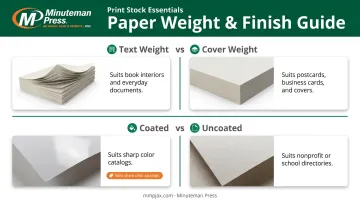
- Text weight for interior pages; heavier cover weight for durable covers
- Coated papers for sharper color and detail
- Uncoated stock for a warmer feel, popular with nonprofits and schools
The team at Minuteman Press Jacksonville can recommend the right combination for your project, from a glossy product catalog to a simple membership directory.
Common Booklet Page Mistakes to Avoid
Most booklet printing delays trace back to one of a handful of recurring errors:
- Submitting pre-arranged spreads instead of single sequential pages, which conflicts with the printer's own imposition process
- Choosing a page count that ignores binding rules, such as skipping multiples of 4 for saddle stitch or falling below the perfect binding minimum
- Forgetting inside cover pages in the file, which shifts page order throughout the document
- Skipping bleed allowances, causing designs to be trimmed incorrectly at the edges
A local partner familiar with these pitfalls saves real time. Minuteman Press in Jacksonville reviews files and consults before jobs go to print, helping local businesses avoid these delays on custom booklets.
Frequently Asked Questions
How many pages can a booklet have?
Page count depends on binding type. Saddle stitch needs multiples of 4; perfect binding, spiral, and Wire-O need multiples of 2. Most booklets run from 8 to about 64 pages, depending on stock and binding.
How do booklet pages work?
Reader spreads are the order you read the booklet in. Printer spreads are the non-sequential layout used on the press sheet. The printer’s imposition process converts your single pages into the correct printer spreads automatically.
What is the minimum number of pages required for a booklet?
Saddle stitch, spiral, and Wire-O binding typically require an 8-page minimum. Perfect binding needs a higher minimum, often around 28 pages, because the spine needs enough thickness for the glue to bond properly.
Can I include blank pages in my booklet?
Yes. Blank pages should be included in your submitted file at their correct position, and they still count toward your total page count for binding purposes.
What file format should I submit for booklet printing?
A single, high-resolution PDF with pages in sequential order and proper bleed is the preferred format. Avoid submitting multiple separate files or pre-arranged spreads.
Do I need to arrange my booklet pages into spreads myself before submitting?
No. Submit single pages in reading order and let the printer's prepress team handle spread arrangement and imposition. Manually arranging spreads often causes layout errors during production.
Visit Us in Jacksonville
Minuteman Press Jacksonville reviews files for bleed, imposition, and page count before any booklet goes to press, catching setup errors that would otherwise cause delays or expensive reprints. Reach the team at 904-733-5578 or stop by 4185 Sunbeam Road, Suite 100, Jacksonville, Florida 32257 to get your saddle-stitched, perfect-bound, or Wire-O booklet project started on the right foot.